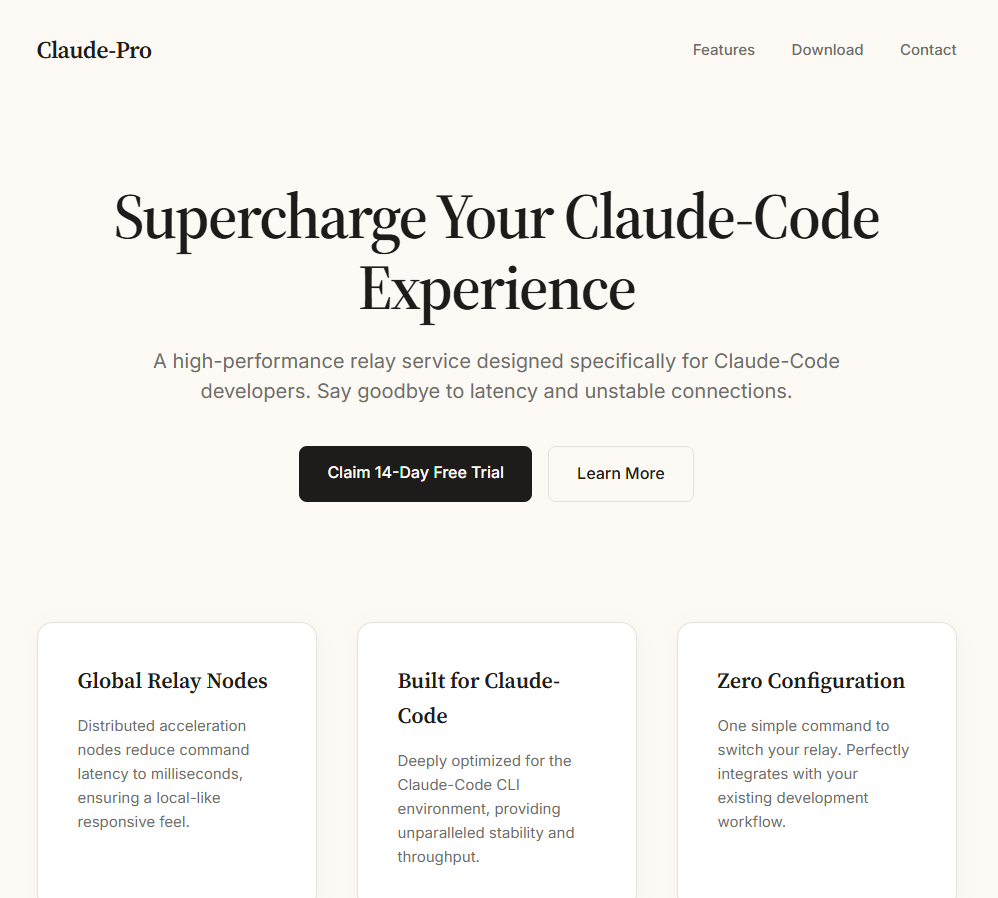
🎯Imagine a fake website that pretends to be a popular AI tool. If you download what you think is a special version, it secretly installs a bad program that lets hackers control your computer. This trick is called DLL sideloading, and it's a sneaky way for the bad guys to get in without you noticing.
How It Works
A fake website impersonating Anthropic’s Claude AI chatbot has been identified as a source of the PlugX remote access trojan (RAT). This malicious site exploits the growing interest in AI tools to entice users into downloading a ZIP archive disguised as a 'pro version' installer. According to Malwarebytes, the attack employs DLL sideloading to execute the malware while attempting to erase its traces post-infection.
The rogue site offers a ZIP file containing an MSI installer that closely mimics a legitimate Anthropic Claude setup. Upon installation, a VBScript is executed, which silently copies malicious files, including a legitimate G DATA antivirus updater (NOVUpdate.exe) and a malicious DLL (avk.dll), into the Windows Startup folder. The legitimate updater is then used to load the malicious DLL, a technique known as DLL sideloading. This method complicates detection because the parent executable appears benign to endpoint security tools.
Who's Being Targeted
The attackers are leveraging the popularity of AI chatbots to target unsuspecting users who may be seeking enhanced versions of AI applications. This social engineering tactic is particularly effective given the current surge in interest surrounding AI technologies.
Signs of Infection
Victims may notice unusual behavior on their systems, including unexpected network activity or the presence of unknown files in the Windows Startup folder. The malware establishes a connection to a command-and-control server shortly after execution, which can indicate an active infection.
How to Protect Yourself
Users are advised to be cautious when downloading software from unofficial sources, particularly those that mimic legitimate applications. Employing robust endpoint security solutions and regularly updating software can help mitigate the risks associated with such attacks. Additionally, users should be aware of the signs of infection and conduct regular system scans to detect any anomalies.
Technical Details
The attack chain is characteristic of the PlugX malware family, commonly used in cyber espionage campaigns. The malicious DLL decrypts and executes a payload from an encrypted .dat file, which further establishes communication with a remote server. The use of a legitimate signed executable to load a malicious DLL is a hallmark of sophisticated cyber attacks, complicating detection efforts.
Conclusion
This incident underscores the evolving tactics used by cybercriminals, who are increasingly leveraging current trends—such as the popularity of AI—to execute their attacks. Users must remain vigilant and informed to avoid falling victim to such schemes.
The combination of social engineering tactics and sophisticated malware deployment techniques like DLL sideloading highlights the need for enhanced user awareness and robust security measures in the face of evolving cyber threats.