Google Drive - Enhanced Ransomware Detection and Recovery Features
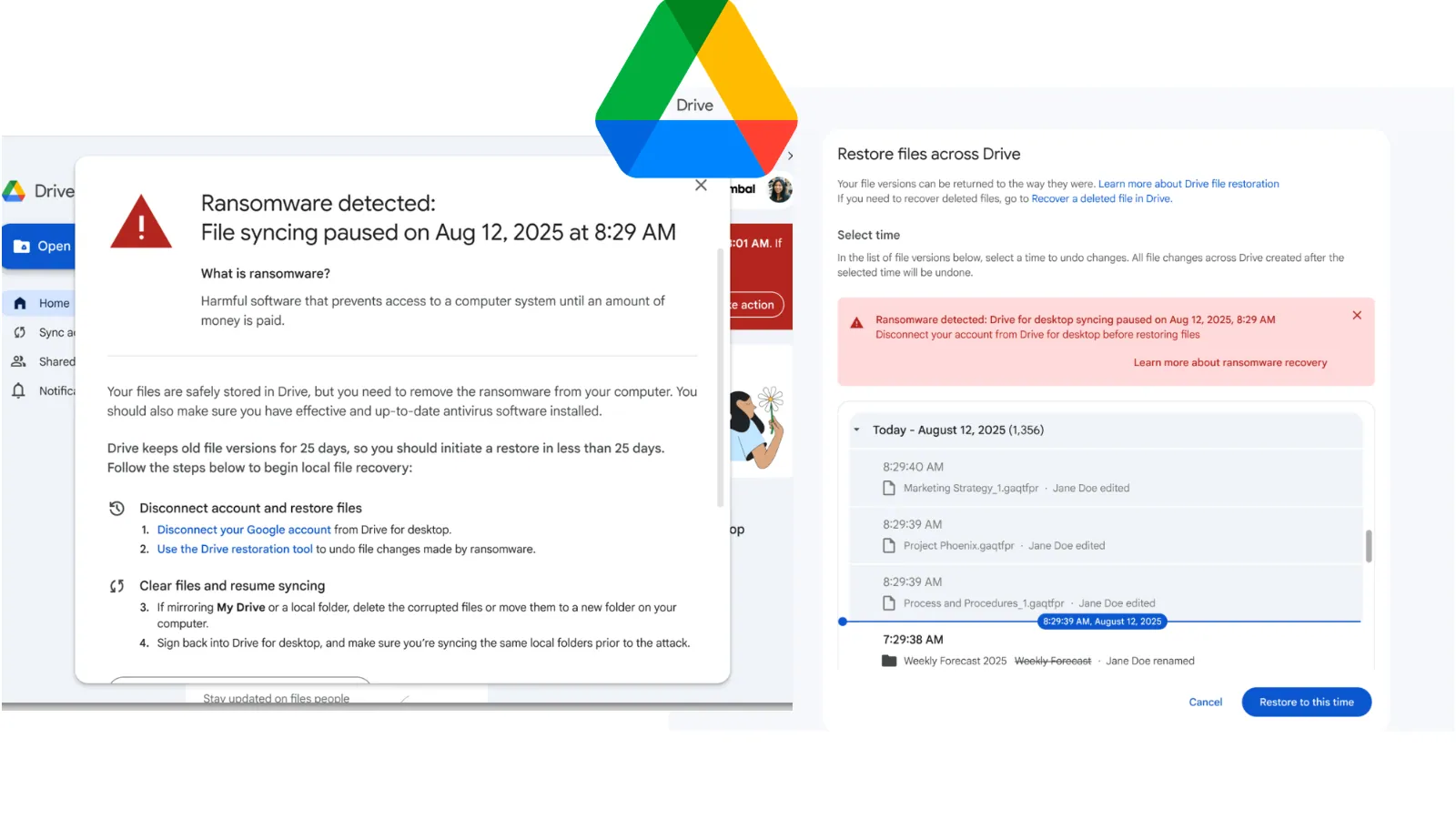
Basically, Google Drive can now find and fix ransomware attacks faster and better.
Google Drive has upgraded its ransomware detection and file restoration features. This means better protection for all users against malware attacks. With enhanced AI capabilities, threats can be detected faster and more effectively. Stay secure and recover your files without hassle!
What Happened
Google has officially rolled out its ransomware detection and file restoration features for Google Drive, moving them from beta to General Availability. Originally launched in September 2025, these enhancements provide organizations with stronger defenses against malware attacks that target both local machines and cloud synchronization. The updated system utilizes a new artificial intelligence model, which boasts a remarkable 14 times increase in the detection of ransomware infections compared to its beta predecessor.
The new detection system identifies a wider array of ransomware encryption signatures and executes detections significantly faster. This rapid response minimizes the chances of threat actors compromising data, allowing users to maintain better control over their files. When ransomware behavior is detected, the Google Drive for desktop application immediately pauses file synchronization, preventing compromised files from being uploaded to the cloud.
Who's Being Targeted
These updated features are designed for all Google Drive users, including Google Workspace customers and individual subscribers. However, the ransomware detection capabilities are specifically available for Business Standard and Plus editions, as well as Enterprise tiers. This means that organizations of various sizes can benefit from enhanced security measures that protect against ransomware attacks, which have become increasingly prevalent in today's cyber landscape.
With thousands of users having tested these features during the beta phase, the feedback has been overwhelmingly positive. Users have reported successful incident recovery, showcasing the tool's scalability and reliability. This is especially crucial for organizations that cannot afford downtime or data loss due to ransomware attacks.
Signs of Infection
When ransomware is detected, users will receive alerts through desktop notifications, emails, and alerts in the Admin console. Those using Google Drive for desktop version 114 or later will benefit from full alert capabilities, while older versions will still halt synchronization during an attack but without pop-up notifications. This proactive approach ensures that both users and administrators are informed of potential threats, enabling quicker responses to mitigate damage.
Additionally, the new file restoration interface allows users to recover multiple compromised files efficiently. This bulk restoration capability accelerates recovery times and helps users regain access to their data without succumbing to extortion demands from attackers.
How to Protect Yourself
To take advantage of these enhanced features, users should ensure that they are running the latest version of Google Drive for desktop. Organizations should also familiarize themselves with the Admin console settings to manage ransomware detection and file restoration configurations effectively. By enabling these features, businesses can better safeguard their data against ransomware threats.
Moreover, users should regularly back up important files and maintain updated security protocols to further reduce the risk of ransomware infections. As cyber threats continue to evolve, staying informed and prepared is essential for protecting sensitive information in the cloud.