🎯Basically, cyber hygiene means keeping your digital environment clean and secure, like brushing your teeth.
What is Cyber Hygiene?
Cyber hygiene refers to the practices and steps that users of computers and other devices take to maintain the health of their digital environment. Just like brushing your teeth prevents cavities, good cyber hygiene helps prevent cyberattacks.
Importance of Multi-Factor Authentication (MFA)
MFA is crucial for securing accounts. It requires users to provide two or more verification factors to gain access. This makes it significantly harder for hackers to breach accounts. Enable MFA on all external-facing services to create a robust barrier against unauthorized access.
Be Cautious with Links and Attachments
Phishing attacks remain a common method for hackers. Always verify the sender's details before clicking on links or opening attachments. If something seems off, it’s best to ignore it. Stay alert and think critically about unexpected messages.
Regularly Patch Your Software
Keeping your software updated is essential. Outdated applications are prime targets for hackers. Automate updates wherever possible to ensure your systems are always protected. Regular patching can significantly reduce vulnerabilities in your environment.
Use Strong Passwords
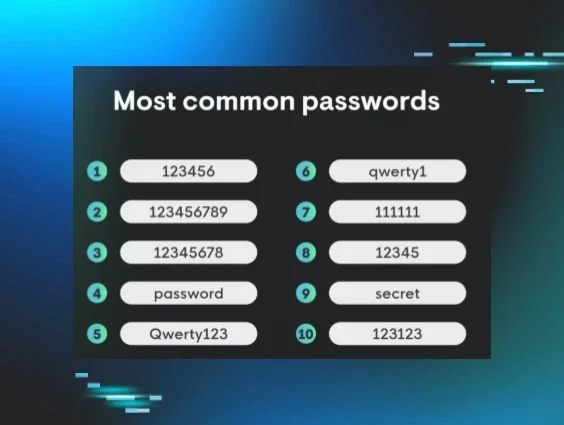
Weak passwords are an open invitation for hackers. Create complex passwords and avoid reusing them across different accounts. Consider using a password manager to securely store and manage your passwords.
Secure Remote Desktop Protocol (RDP)
Exposed RDP can lead to brute force attacks. If RDP is necessary, secure it behind a VPN and enable MFA. If not needed, consider disabling it altogether to eliminate a potential attack vector.
Monitor for Unusual Behavior
Once hackers infiltrate your system, they often try to hide their activities. Be on the lookout for unusual behavior such as unexpected changes in administrative privileges or modifications to logs. Tools like Huntress EDR can help monitor for these anomalies.
Implement Strict Allow and Deny Lists
Managing what applications and resources can be accessed is crucial. Create clear rules for allowed and blocked applications to minimize exposure to threats. This proactive approach can significantly enhance your security posture.
Optimize Logging Practices
Logs are invaluable for understanding cyber incidents. Ensure you have a robust logging strategy in place, including regular backups. Managed SIEM solutions can help streamline this process and reduce alert fatigue.
Use Conditional Access Policies
Conditional access policies enhance security by controlling who can access specific resources. Implementing complex rules can make it much harder for attackers to gain unauthorized access. For example, requiring MFA for access to sensitive applications adds an extra layer of protection.
🔒 Pro insight: Implementing layered security measures like MFA and conditional access can significantly reduce the risk of unauthorized access.